
The best prompt fixes usually start as one weird chat.
Not a benchmark. Not a synthetic eval. Just a user doing something extremely normal in a way your agent was not ready for.
They ask for a refund but call it a “reverse charge.” They want to delete a workspace but say “nuke this test org.” The agent tries, gets lost, and the user leaves.
That weird chat is not noise. It is production telling you where the prompt is under-specified.
An agent improvement loop is the repeatable path from real conversation failure to merged behavior change: detect the weird chat, label the failure, write the smallest prompt or routing fix, replay it against real examples, merge it, and watch production metrics after release.
That sounds obvious. Most teams still do not have the loop. They have vibes, a prompt doc, and one engineer scared to touch it.
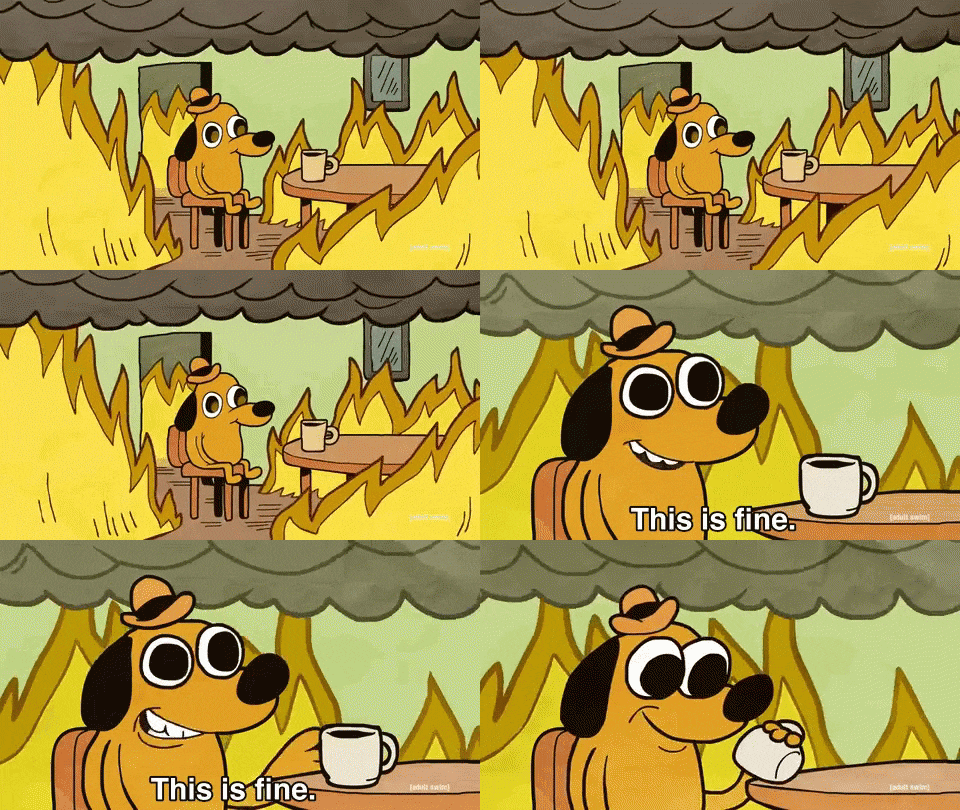
^ the production prompt after 14 people added “be clear and helpful” in slightly different words
What counts as a weird user chat?
A weird chat is not necessarily rare. It is a chat where the user’s natural language falls outside the neat categories your agent was designed around.
Common weird chats:
| Weird chat type | Example | Actual intent |
|---|---|---|
| Slang request | “can you nuke this workspace” | Delete workspace |
| Domain shorthand | “reverse this charge” | Refund payment |
| Buried ask | 300 words of context, ask in last line | Support request |
| Multi-intent pileup | “cancel plan and export data” | Cancellation plus data export |
| Emotional wrapper | “this is broken again, fix my account” | Troubleshooting |
| Negative instruction | “do not send me the docs again” | Needs non-doc path |
If your taxonomy only contains clean labels like billing_question, account_update, and technical_support, weird chats get flattened. That is how you end up with a refund policy pasted at a user who asked to reverse a duplicate charge.

^ your agent deciding “nuke this workspace” is probably a cybersecurity question
Why do weird chats create the best prompt fixes?
Because they expose missing operating rules.
Synthetic evals usually test the happy path and the obvious bad path. Real users create the middle path, where the intent is clear to a human but not to the current prompt.
The prompt says, “help users manage workspaces.” The weird chat shows you need something sharper: treat “delete”, “remove”, “wipe”, “nuke”, “kill”, and “get rid of” as workspace deletion language when the object is a workspace, test org, or project.
That is a better rule because it came from actual language. It is specific and testable. The job is not to make the prompt longer. The job is to make the prompt more like the users.
What is the loop from chat to merged fix?
Here is the practical version.
| Step | Output | Owner |
|---|---|---|
| 1. Detect | Candidate failed conversations | Analytics or support |
| 2. Cluster | Repeating failure pattern | PM or agent owner |
| 3. Diagnose | Root cause label | PM plus engineer |
| 4. Patch | Small prompt, tool, or route diff | Engineer |
| 5. Replay | Real transcript test set | Agent owner |
| 6. Merge | Reviewed config or prompt change | Engineer |
| 7. Monitor | Production metric movement | PM |
The important part is that the fix has to merge somewhere. If your improvement loop ends in a doc, it is not a loop. It is a scrapbook.
A merged prompt fix should look boring: add alias handling for destructive workspace actions, classify correctly, and follow deletion confirmation policy. Small. Reviewable. Testable.
How do you classify the failure?
Do not jump straight from “bad chat” to “the model is dumb.” That is lazy and usually wrong.
Use a short failure taxonomy:
| Failure label | What happened | Typical fix |
|---|---|---|
| Intent alias miss | User used unexpected wording | Add aliases or examples |
| Context carry failure | Agent ignored prior turn | State rule or memory handling |
| Tool selection miss | Agent answered instead of acting | Tool description or routing |
| Policy overreach | Agent refused safe request | Narrow policy boundary |
| Policy underreach | Agent acted without confirmation | Add confirmation gate |
| Recovery failure | Agent repeated after user correction | Strategy-change rule |
Each failure wants a different fix. If the problem was tool selection, tone instructions will not help. If the problem was recovery failure, happy-path examples will not help. Label the failure before writing the diff.
What does a real prompt fix look like?
The user says:
I need to reverse the second charge from yesterday. First one is fine.
The agent replies with a general refund policy and links docs.
Bad fix: “be more proactive with billing issues.” Better fix:
| Field | Change |
|---|---|
| Intent aliases | Treat “reverse charge”, “undo payment”, “remove duplicate charge”, and “refund second charge” as refund request |
| Required clarification | Ask which transaction if multiple same-day charges exist |
| Tool behavior | Use billing lookup before linking docs |
| Safety | Never initiate refund without explicit confirmation |
| Recovery | If user says “not asking for policy”, stop explaining policy and move to transaction lookup |
That is a prompt fix with teeth. It changes routing, tool use, clarification, and recovery behavior for one failure cluster.
^ the team when a 9-line prompt diff beats the “upgrade the model” plan
How do you test before merging?
Replay real conversations. Take 10 to 30 transcripts from the failure cluster, freeze them as a tiny regression set, then compare old agent vs patched agent.
Do not only ask “is the answer better.” Ask narrower questions:
| Test question | Pass condition |
|---|---|
| Did it classify the weird wording correctly? | Correct intent selected |
| Did it ask only necessary clarifications? | No broad “tell me more” |
| Did it use the right tool? | Tool called before generic docs |
| Did it preserve policy? | No unsafe action without confirmation |
| Did it recover after correction? | Strategy changed after user pushback |
Add a tiny guardrail set too. If you add “nuke” as a deletion alias, include cases where “nuke” means “the dashboard broke” or “performance collapsed.” The fix should improve the target cluster without turning every spicy verb into a destructive action.
How do you know the merged fix worked?
Watch production by failure cluster, not by global average. If the fix targeted duplicate charge refund language, do not stare at overall resolution rate. Look at the slice.
| Metric | Expected movement |
|---|---|
| Alias miss rate for refund terms | Down |
| Generic policy replies to refund action requests | Down |
| Billing lookup before docs | Up |
| User rephrase rate after first response | Down |
| Same-user return for same billing issue | Down |
Global dashboards are too blunt for prompt fixes. You should be able to point from a production failure cluster to the merged diff to the metric that moved afterward. Otherwise you are just editing the prompt and hoping.
Where Agnost fits
Agnost helps surface weird chats that are likely to represent real failure clusters: rephrases, abandoned sessions, repeated instructions, tool avoidance, policy loops, and same-intent returns. It does not make your agent magically self-improving while everyone goes to lunch. It gives you the missing conveyor belt from production signal to reviewable change.
Which, honestly, is usually the part teams do not have.
FAQ
What is an agent improvement loop?
It is the operational process for turning production conversation failures into tested agent changes. The loop is detect, cluster, diagnose, patch, replay, merge, and monitor.
Should prompt fixes be merged like code?
Yes. Prompts, tool descriptions, routing rules, and policy text all change production behavior. They need diffs, owners, review, tests, and rollback.
When should you change tools instead of prompts?
If the agent knows the right action but cannot perform it, the missing piece is a tool. If it has the tool but does not choose it, the fix may be routing, tool description, or prompt guidance.
TL;DR: Weird user chats are not random trash. They are where production tells you the prompt is missing real-world language or recovery behavior. Build the loop: detect weird chats, cluster the failure, label the root cause, write the smallest behavior diff, replay real transcripts, merge it like code, and monitor the specific slice afterward.
Reading Time: ~8 min